Maps,
not tabs
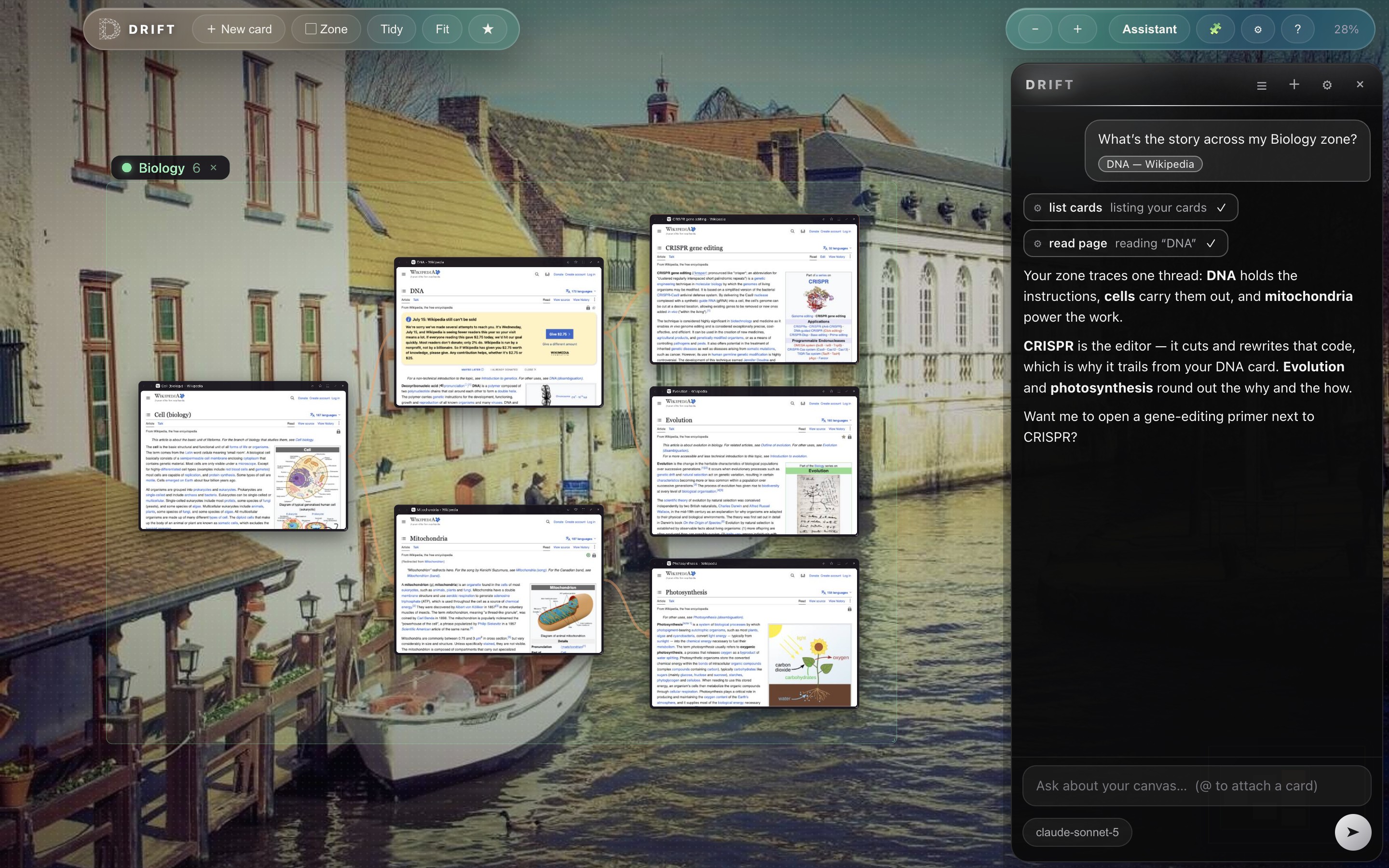
Zoom out and your whole session becomes a constellation of live
page thumbnails. Dive in and every card is a full browser page: logins,
video, and web apps all work.
Links that would open “a new tab” spawn a child card with a visible
trail back to where you came from. Draw trails yourself by dragging between cards,
double-click a trail to remove it, and export any trail as a Markdown reading list.
🗺️
Infinite canvas
Pan, pinch, and fly. ⌘0 fits your whole world on screen.
🕸️
Visible trails
Your path through the web, drawn as a map instead of a hidden history list.
▢
Zones
Name a region like “Trip planning” or “Biology”, recolor it, move it as one.
⛶
Focus & full screen
Focus a card, pin two side-by-side, or go truly full screen. Esc floats you back.
★
Bookmarks & search
Star pages, sort them into folders, and import your bookmarks straight from Chrome, Brave, or Firefox. ⌘F lights up matches right on the canvas.
🧩
Chrome extensions
Install ad blockers and more straight from the Chrome Web Store. Icons sit in the toolbar and work on every card.
🎨
Make it yours
Keep the rotating photo backdrops, pick a solid color, or drop in your own image from Settings.
🔒
Private by design
No accounts, no sync servers, no browsing log. Your canvas lives on your machine.